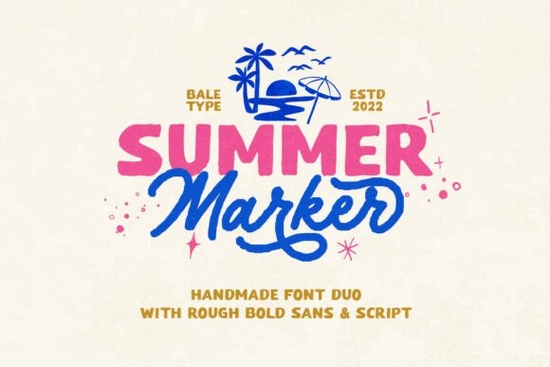
If you are looking for a typeface that feels genuinely hand-drawn without losing readability, the Summer Marker Font is a practical choice for everyday creative work. This handmade font duo pairs a bold sans-serif with a flowing monoline script, giving projects a rough, organic texture that buyers often search for. Whether you run a small print-on-demand shop, design custom quotes for social media, or craft digital stickers, this combination covers both strong structure and casual flair in a single package.
What makes this font pair work for handmade and retro projects?
The strength of a well-built typeface duo lies in contrast. You get a sturdy base from the bold sans, which carries headlines and labels clearly. The monoline script adds movement and a personal touch. Because the strokes carry subtle unevenness, they mimic actual marker pens on paper. This creates an authentic, slightly worn-in feel that fits vintage branding, café menus, or seasonal promotions perfectly.
A practical detail is the multi-language support. Many hand-lettered styles only cover basic English characters, but this set includes extended glyphs and punctuation for broader use. You can type international names or bilingual packaging without hunting for workarounds. It also includes standard alternates, so you can tweak word shapes until they sit correctly in your layout.
How do you pair these typefaces with other design elements?
When working with a marker-inspired style, keep backgrounds clean. Let the natural texture stand out. Reserve the script for short taglines or callouts, while the bold sans handles primary text. If you want to see how similar sans-serif options behave in grid layouts, you might look into geometric alternatives that keep spacing tight. Pairing them alongside muted palettes or faded pastels usually creates the most cohesive retro aesthetic.
Spacing matters more than people realize. Give the monoline script breathing room so rough edges do not clash with nearby graphics. For structured layouts that still need personality, check out a clean option that balances organic shapes. Create hierarchy using size, weight, and color shifts instead of adding extra decorative elements. This keeps your files organized and exports cleaner for clients.
Where does it fit best across your creative business or hobby?
Sellers and hobbyists can apply this typeface duo across nearly every visual touchpoint. Print-on-demand apparel benefits from the bold sans for readable titles, while the script adds a handcrafted feel on mugs or totes. Digital sticker creators can isolate single words, cut them out, and export with transparent backgrounds for planners. Branding and logotype projects also gain a warm, approachable voice, especially for bakeries or event organizers who want to feel friendly.
Social graphics and quotes are another natural fit. Because the strokes are thick and slightly irregular, they remain legible on small mobile screens. Stack the sans as a frame around a script quote, then add simple line icons to finish the piece. For more layout ideas that highlight this style, explore design examples that showcase organic sans pairing. If you want to compare similar handmade styles, the Kohilo Font and Cultivo Font searches reveal how different weights handle pairing tasks.
What should you verify before installing and using it?
Always review the license terms before applying any typeface to client work or product listings. This set supports both personal and commercial use, but checking the included documentation prevents accidental redistribution. Test the installation in your preferred software, whether that is Illustrator, Affinity, or Inkscape. Watch how the kerning behaves at smaller sizes, and adjust tracking if letters feel too tight on dark backgrounds.
What steps should you take before starting your next layout?
- Install both the bold sans and monoline script files in your design app.
- Test a short phrase at your target output size to verify readability on screens and paper.
- Enable OpenType features or alternates to switch between letter variants quickly.
- Save a swatch library with three to four retro colors that complement the rough marker texture.
- Export a preview, then step back to review spacing and alignment on an actual device.
Start with a simple layout, keep hierarchy clear, and let natural imperfections add warmth. If you need to adjust weight or spacing, tweak tracking slightly and take a short break before finalizing. Small refinements often turn a rough draft into a polished, ready-to-share design.
Try It Free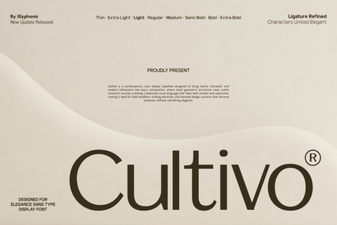 Cultivo Font: Modern Display for Creative Projects
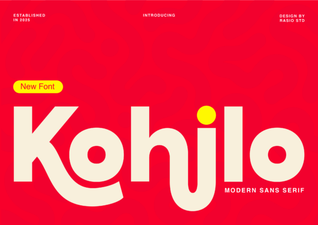 Kohilo Font: a Creative Tool for Modern Design
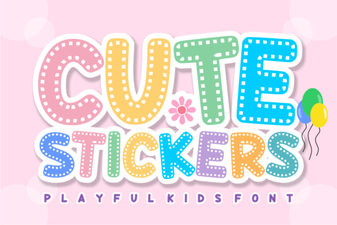 Design Creative Projects with a Cute Stickers Font
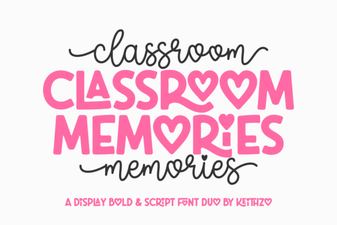 Fonts for Capturing Classroom Memories
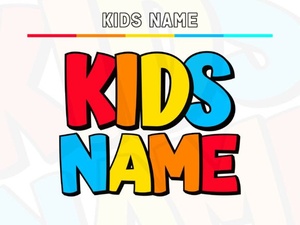 Creative Kids Name Fonts for Crafting Fun Projects
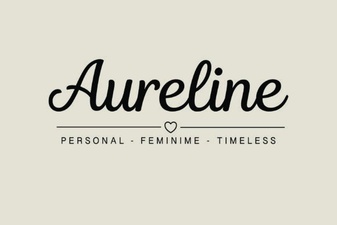 Aureline Font: a Creative and Versatile Typeface