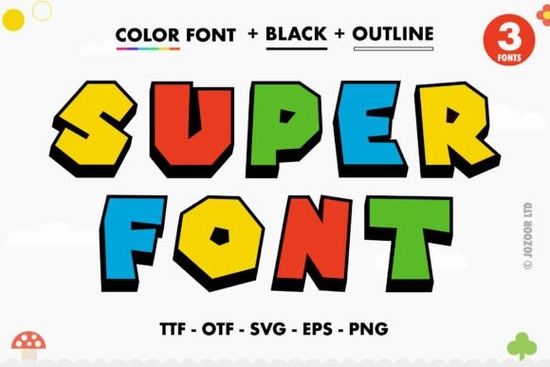
If you are looking for a bold, eye-catching typeface that saves time on coloring and shading, Super Font is a practical option for your daily projects. It delivers thick, playful lettering with built-in colors and decorative details right out of the box. Instead of manually filling shapes or layering effects in your design software, you can type your message and instantly get vibrant, finished results. This makes it especially useful for print-on-demand sellers, sticker makers, and crafters who want to keep their workflow smooth and efficient.
What makes this typeface different from standard fonts?
Traditional fonts only provide outlines or solid colors, which means you usually have to add gradients, textures, or shadows yourself. This product is built as an OpenType-SVG color font, so every letter comes with pre-drawn color blocks and clean vector edges. It is also PUA encoded, which is a technical way of saying you can quickly access extra glyphs, decorative swashes, and alternate characters without hunting through confusing Unicode tables. Just type a standard key combination, and the swash appears. If you enjoy mixing typography, you will find that pairing it with similar bubbly styles can help balance a busy layout.
Which design programs actually support the color features?
Because it uses the SVG-OpenType standard, you need software that recognizes layered color fonts. It works reliably in Adobe Photoshop, Adobe Illustrator, Silhouette Studio, and Inkscape. These programs can read the embedded color data and keep the sharp edges intact. However, it is important to know that the OTF and TTF files are not compatible with Cricut Design Space. Cricut currently does not support OpenType-SVG color rendering, so the font will appear as a flat black or gray outline if you try to load it there. For a deeper technical breakdown, Adobe maintains a helpful page on OpenType-SVG specifications that explains how modern software handles layered type.
How do crafters use this typeface in everyday projects?
The thickness and built-in color separation make it a reliable choice for vinyl cutting, screen printing, and sublimation. When you export your design as a PNG with a transparent background, the colors stay exactly as they look on your screen. This saves hours of color profiling and prevents unwanted ink bleed on thick materials. Small business owners often pair it with simple geometric shapes for product packaging, while digital planners use it to create eye-catching headers without relying on heavy graphic elements.
Where does it fit best for small shops and hobbyists?
If you sell custom party supplies, nursery art, or kids' apparel, the playful weight of this font naturally draws attention. POD sellers frequently use it for mug wraps, tote bags, and wall decals because the thick strokes remain readable even when scaled down for mobile viewing. You can also use the accessible swashes to create quick logos or brand marks that feel hand-drawn but scale perfectly. When working on customizing birthday prints with these options, the alternate characters let you add unique touches without needing advanced calligraphy skills.
What should you check before using it in a commercial order?
Always preview your text at the final print size before sending it to a supplier. Color fonts can sometimes look slightly different across operating systems, so exporting as a flattened PNG or SVG with embedded colors is the safest way to lock in your artwork. Make sure your software is updated to the latest version, as older releases occasionally miss newer font standards. If you are new to OpenType features, reviewing this collection of vibrant typography can help you adjust spacing and alignment without breaking the color layers.
Quick steps to avoid common printing issues
- Install the font file and restart your design program before typing your first word.
- Use the character map or glyph panel to find swashes, or rely on PUA shortcuts documented by the creator.
- Always rasterize or export as PNG/SVG before uploading to a print-on-demand platform.
- Test a small print run on your actual material to check color vibrancy and edge sharpness.
Keep these steps in mind when adding the typeface to your next batch of designs, and you will maintain consistent quality across all your products.
Learn More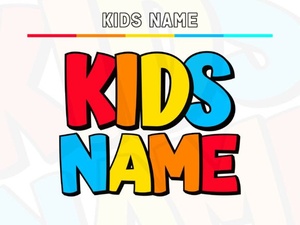 Creative Kids Name Fonts for Crafting Fun Projects
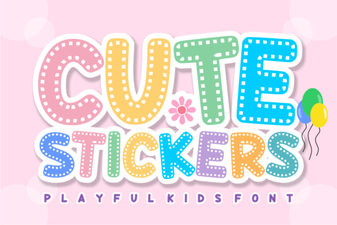 Design Creative Projects with a Cute Stickers Font
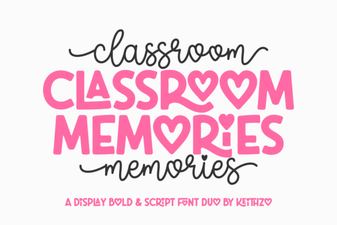 Fonts for Capturing Classroom Memories
 Aureline Font: a Creative and Versatile Typeface
 Cultivo Font: Modern Display for Creative Projects
 Hey Magnolia Font: Creative Design Examples